Travel Value Finder

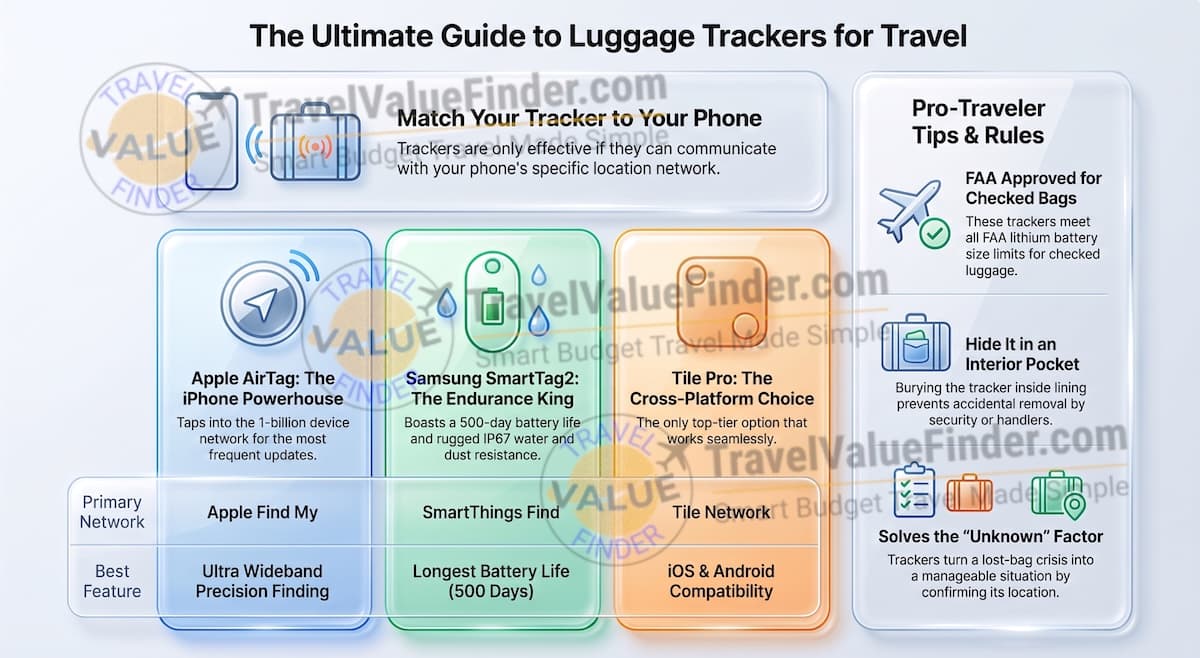
The best luggage tracker for travel isn’t one universal winner, it’s whichever tracker matches the phone already in your pocket.
- iPhone owners get the most reliable results from the Apple AirTag,
- Samsung Galaxy owners from the Samsung SmartTag2, and
- anyone tracking a bag across mixed iPhone/Android households should reach for the Tile Pro.
Leslie Nics, TravelValueFinder.com | Last updated: Aug 2026 | Based on first-hand experience and on what’s the best travel gears (compared and tested) for travelers
Below is how the three actually compare, what checked-bag airlines and the FAA actually allow, and where to put a tracker in your suitcase so baggage handlers don’t remove it.
Table of Contents
Which Best Luggage Tracker for Travel Should You Buy?
The right tracker depends entirely on your phone, not on which one has the most features on paper. A tracker that can’t talk to your phone’s network is useless no matter how good its hardware is.
- Have an iPhone? Get the AirTag.
- Have a Samsung Galaxy? Get the SmartTag2.
- Split between iPhone and Android in the same household? Get the Tile Pro: it’s the only one of the three that works across both.
How AirTag, SmartTag2, and Tile Compare
These three consistently top comparisons from CNN Underscored, Finding the Universe, and PreppedTrip. All three are well-established Amazon sellers with large review volumes and current stock, not niche products you’d have to hunt for:
| Product | Why It Made the List | Get It |
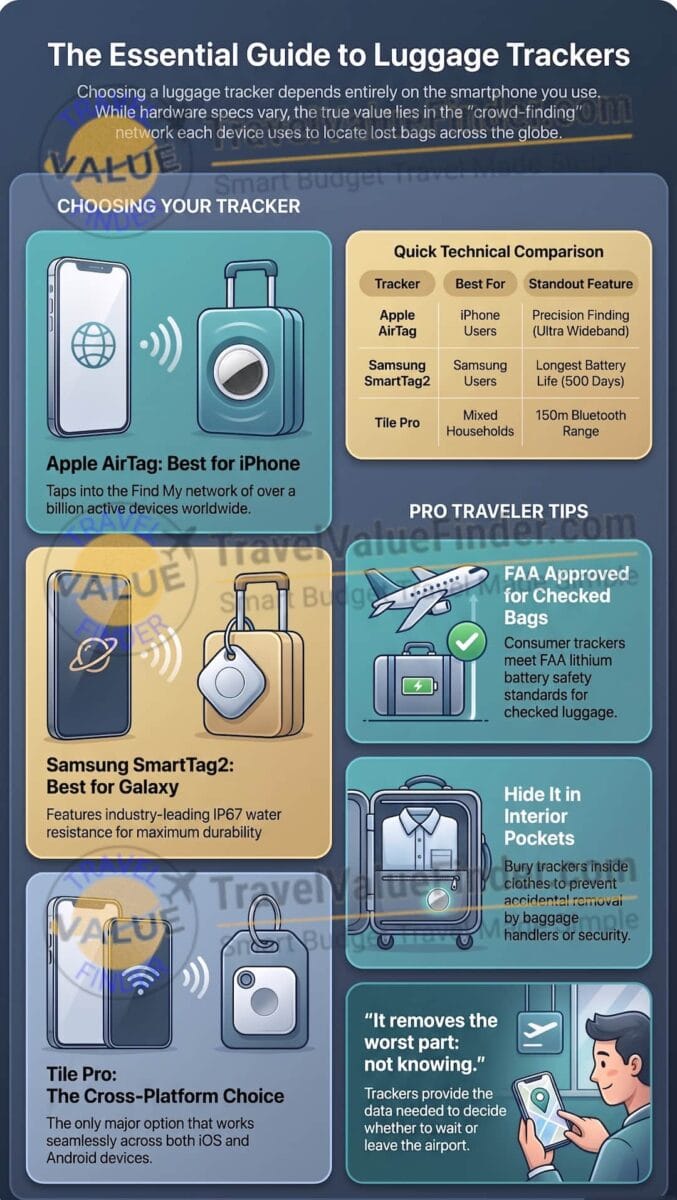
| Apple AirTag (4-Pack) | Best for iPhone owners. Taps into Apple’s Find My network, the largest crowd-finding network of any tracker, plus Ultra Wideband Precision Finding that points you to your bag within inches once you’re close. No subscription required. | Check Price on Amazon |
| Samsung SmartTag2 | Best for Samsung Galaxy owners. Runs on Samsung’s SmartThings Find network, has its own Ultra Wideband precision finding, IP67 water/dust resistance, and a battery rated up to 500 days: longer than either AirTag or Tile. Requires a Samsung device to set up. | Check Price on Amazon |
| Tile Pro | Best for mixed iPhone/Android households. Works across both platforms instead of locking you into one ecosystem, with a user-replaceable battery rated for up to a year and up to 150m of Bluetooth range. Trade-off: its network is smaller than Apple’s or Samsung’s, so updates can lag in areas with fewer Tile users. | Check Price on Amazon |
Get more travel packing essentials and tips on my travel packing list.
Are Luggage Trackers Allowed in Checked Bags?
Yes. The FAA specifically addresses baggage tracking devices not just lithium batteries in general.
It confirms that lithium-powered “bag tags” like AirTag, SmartTag2, and Tile are allowed in checked baggage provided the battery stays under the standard size limits (0.3g lithium metal / 2.7 watt-hours).
This is where every consumer tracker on this list falls well under.
This is a narrower, more specific rule than the general lithium-battery guidance most packing articles cite.
It’s worth checking directly if you’re flying an international carrier since rules can vary by airline outside the US.
Where to Put a Tracker in Your Suitcase
Tuck the tracker into an interior pocket rather than an exterior one.
Baggage handlers and TSA agents who open an exterior pocket are more likely to notice and remove a loose tracker than one buried inside your folded clothes.
If your bag doesn’t have a dedicated interior pocket, a small adhesive strip inside the lining works just as well.
What I’ve Learned Tracking Bags the Hard Way
I started carrying a tracker after a connecting flight through a European hub misrouted my checked bag by a full day.
The tracker didn’t get the bag back any faster. However, it removed the worst part of the wait, not knowing whether it was still in the country I’d just left or already on its way to me.
Knowing where the bag actually was let me make a real decision about whether to keep waiting at the airport or head to the hotel. Find out more about my Europe packing list.
Travel Packing & Gear Guide
- Best Travel Adapter for International Travel
- Best Water Purification Bottle for Travel
- Best Noise-Cancelling Headphones for Travel: Sony vs. Bose vs. Apple
FAQ: Best Luggage Tracker for Travel
Can an AirTag track luggage on an international flight?
Yes, Apple’s Find My network covers most major international airports and cities, though location updates can be less frequent in areas with lower iPhone density. Check out how I packed for Southeast Asia.
Do luggage trackers need a subscription?
No. AirTag, SmartTag2, and Tile’s basic tracking all work without a subscription. Tile offers an optional paid tier for extra features, but it isn’t required for standard tracking.
Will airport security remove a luggage tracker from my bag?
No, trackers that meet standard lithium battery size limits are permitted in checked baggage per FAA guidance. Placing it in an interior pocket makes it even less likely to be noticed or handled during a bag search.
Can I use a Tile with an iPhone?
Yes, Tile is one of the few trackers that works on both iOS and Android, which is exactly why it’s the pick for mixed-platform households.
Sources
Affiliate Disclosure: TravelValueFinder.com is a participant in the Amazon Services LLC Associates Program. As an Amazon Associate, we earn from qualifying purchases made through links on this page, at no additional cost to you. See our full Trust & Transparency Policy for details.