Travel Value Finder

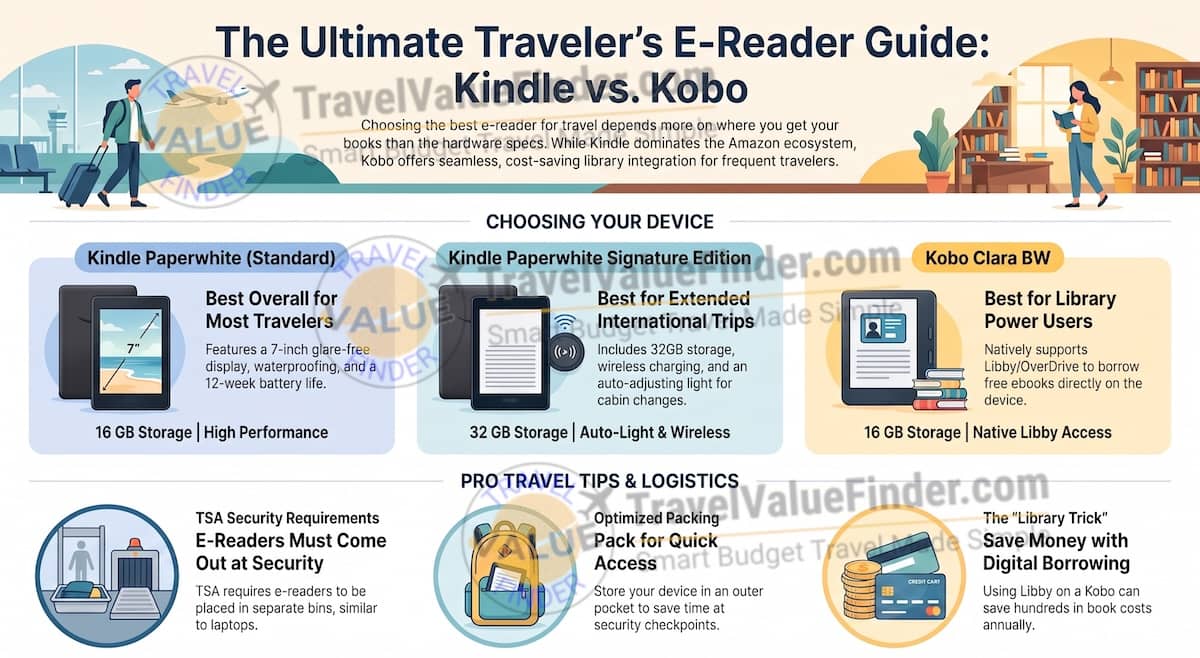
The best e-reader for travel comes down to how you actually get your books. If you buy or already own titles through Amazon, the Kindle Paperwhite is the easy, no-friction choice, and the Signature Edition is worth the upgrade on longer trips. Find out my travel packing list for international travel.
But if you borrow ebooks from your local library, the Kobo Clara BW does something the Kindle line still can’t match natively, and it’s the kind of feature that can save a frequent traveler real money over a year of trips.
Leslie Nics, TravelValueFinder.com | Last updated: Aug 2026 | Based on first-hand experience and on what’s the best travel gears (compared and tested) for travelers
Here’s how the three actually compare, plus the airport security detail most packing guides get wrong.
Table of Contents
Which E-Reader Should You Buy for Travel?
All three of these handle the basics well; waterproofing, weeks of battery life, a crisp glare-free display. The real decision point is your book source, not the hardware spec sheet.
- Buy your books through Amazon? Get the Kindle Paperwhite (or the Signature Edition for trips over two weeks).
- Borrow from the library through Libby? Get the Kobo Clara BW : it’s the only one of the three built for that natively.
The Kobo-versus-Kindle question always turns out to be a library question in disguise. If someone already uses Libby at home, moving to Kindle for travel just re-introduces a hassle they’d already solved. Leslie Nics, Founder & Lead Travel Writer, TravelValueFinder.com
How the Kindle Paperwhite, Signature Edition, and Kobo Clara BW Compare
These three are the picks that consistently top comparisons from Forbes Vetted and dedicated travel-e-reader round-ups, and all three are established, well-reviewed, currently in-stock Amazon listings:
| Product | Why It Made the List | Get It |
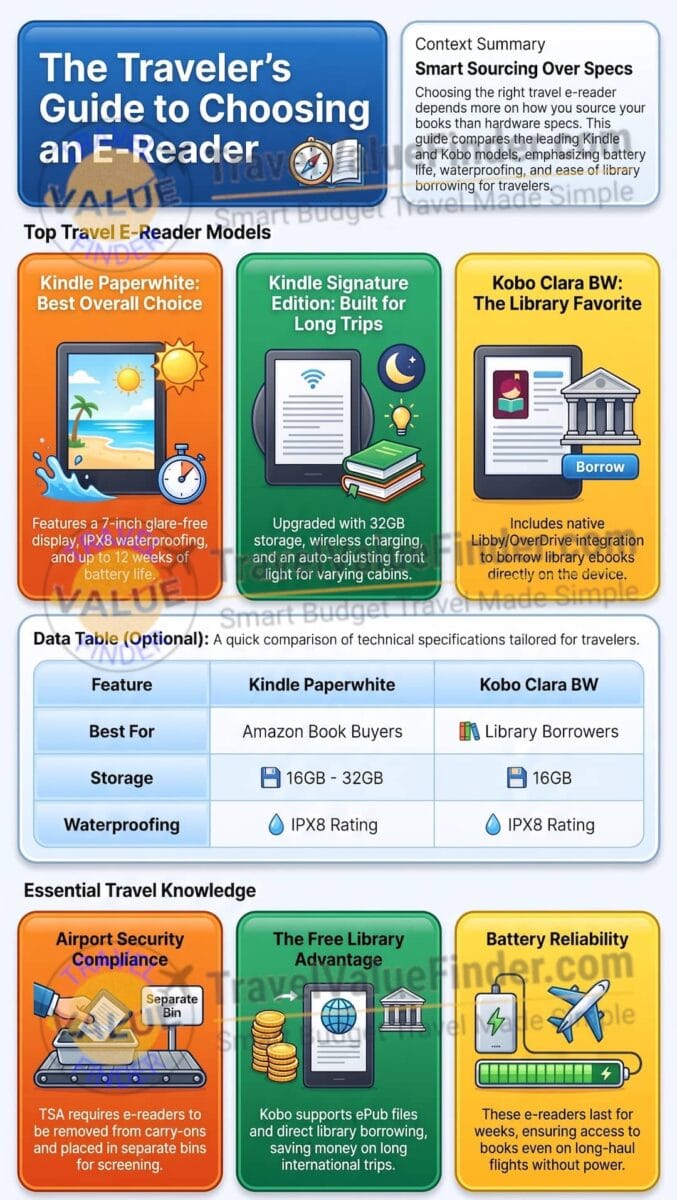
| Kindle Paperwhite (16GB) | Best overall for most travelers. A 7-inch glare-free display, IPX8 waterproof rating (safe for beach and poolside reading), and roughly 12 weeks of battery life on a single charge: long enough that most trips won’t need a charger at all. | Check Price on Amazon |
| Kindle Paperwhite Signature Edition | Best for long or extended trips. Same core hardware as the standard Paperwhite, plus double the storage (32GB), wireless charging, and an auto-adjusting front light that shifts brightness as you move between a bright terminal and a dim cabin without manual fiddling. | Check Price on Amazon |
| Kobo Clara BW | Best for library book borrowers. Matches the Paperwhite on waterproofing and battery life, but with native OverDrive integration: meaning you can borrow library ebooks directly on the device through Libby without sideloading. A real advantage if you use library apps regularly. | Check Price on Amazon |
Kindle Paperwhite : Best Overall
The Paperwhite hits the price-to-performance sweet spot for most travelers: a 7-inch display that’s large enough to read comfortably but still pocketable, genuine IPX8 waterproofing for pool and beach use, and battery life measured in weeks rather than days.
If you already buy or read Kindle books, there’s no real reason to look elsewhere.
Kindle Paperwhite Signature Edition : Best for Long Trips
The Signature Edition is the standard Paperwhite with the friction sanded off for frequent travelers: double the storage for carrying a bigger library, wireless charging so you’re not hunting for the right cable, and an auto-adjusting front light that handles the jump from a bright airport terminal to a dim airplane cabin without you touching a setting.
It costs more, and casual readers on short trips won’t notice most of the upgrades — but for someone reading through multiple books on a multi-week trip, the convenience adds up.
Kobo Clara BW : Best for Library Borrowers
The Clara BW matches the Paperwhite’s core hardware; waterproofing, battery life, display quality — while running Kobo’s more open software, which natively supports borrowing library ebooks through OverDrive/Libby without the workaround Kindle requires.
It also reads ePub files directly, which matters if you already have a library of ebooks from outside the Amazon ecosystem.
The Free Library Book Trick Most Travelers Miss
This is the detail most e-reader round-ups skip, and it’s the one that actually changes which device makes financial sense. If you have a library card, Libby lets you borrow ebooks for free; no different from borrowing a physical copy, just digital and time-limited.
Kobo devices support this natively. Kindle can technically do it too, but through a clunkier send-to-Kindle workaround rather than borrowing directly on the device.
For a traveler who reads several books per trip, that’s the difference between paying for every title and reading for free with a library card you probably already have.
In my how to travel Europe on a budget, I have enjoyed reading free library books during flights and train rides across Europe.
Do E-Readers Need to Come Out at Airport Security?
Yes, in most standard security lanes.
TSA’s own guidance specifically lists e-readers alongside laptops, tablets, and handheld game consoles as personal electronic devices.
These need to be removed from your carry-on and placed in a bin on their own for X-ray screening.
Packing your e-reader somewhere easy to reach, rather than buried at the bottom of a bag saves real time at the checkpoint.
Why an e-reader on Flights, and Layovers
I carried physical paperbacks on every trip for years, mostly out of habit. Then on a two-week trip I ran out of pages by day nine. I ended up buying an overpriced airport-bookstore novel I didn’t even want.
Switching to an e-reader wasn’t really about weight savings, though that helped.
It was never running out of something to read again, especially on the flights and layovers where a physical book is the least convenient thing to be carrying.
People think of an e-reader as a nice-to-have. On a long-haul flight with no WiFi, it’s closer to a necessity. It’s the one device that doesn’t die after two hours. Leslie Nics, Founder & Lead Travel Writer, TravelValueFinder.com
Travel Packing & Gear Guide
- Best Travel Adapter for International Travel
- Best Water Purification Bottle for Travel
- Best Travel Neck Pillow for Flights
- Best E-Reader for Travel: Kindle vs. Kobo Compared : Kindle Paperwhite
- Best Luggage Tracker for Travel
- Best Noise-Cancelling Headphones for Travel: Sony vs. Bose vs. Apple
- Best Carry-On Travel Backpack: Osprey vs. Nomatic
- Best Anti-Theft Crossbody Bag for Travel
- Best Tech Organizer Pouch for Travel: FYY vs. BAGSMART vs. tomtoc
FAQ: Best E-Reader for Travel
Can I borrow library books on a Kindle?
Yes, but indirectly. You borrow through Libby on your phone or computer, then send the book to your Kindle. Kobo devices support borrowing directly on the device itself, which is a smoother process.
Is the Kindle Paperwhite waterproof enough for the beach?
Yes, its IPX8 rating means it can handle splashes, pool use, and brief submersion, which covers typical beach and poolside conditions.
Is the Signature Edition worth the extra cost over the standard Paperwhite?
Mainly for longer trips or heavy readers. The extra storage and auto-adjusting light are conveniences rather than necessities for a short trip with one or two books.
Do e-readers need to be removed at TSA checkpoints?
Yes, in standard security lanes. TSA guidance lists e-readers alongside laptops and tablets as devices that need their own bin for X-ray screening.
Sources
Affiliate Disclosure: TravelValueFinder.com is a participant in the Amazon Services LLC Associates Program. As an Amazon Associate, we earn from qualifying purchases made through links on this page, at no additional cost to you. See our full Trust & Transparency Policy for details.